A caseload-wide view of patient activity within EBO’s Intelligent Patient Portal, helping clinicians prioritise follow-up, save time and prepare more effectively for appointments.
EBO’s Clinician View empowers clinicians to build, maintain and organise their own patient lists. A caseload-wide view turns separate patient activities into a clearer picture of what needs to happen next. With this information in one place, clinicians can focus their follow-up, prioritise what needs attention and manage their caseload more effectively.
The Clinician View isn’t there to replace an Electronic Patient Record (EPR). It’s there to complement it, add value and provide a clearer view of patient activity and engagement within the Intelligent Patient Portal.
Value beyond an EPR
An EPR typically provides clinicians with a patient list, but reviewing it often requires opening each record individually. The Clinician View extends an EPR’s value by giving clinicians a bird’s-eye view of their entire caseload, helping them prioritise patient follow-up and prepare for upcoming appointments.
Clinicians can review relevant information across multiple patients at a glance, identify outstanding actions and see who requires attention.
Create patient lists that reflect their caseload and way of working.
Sort and filter
Organise lists by caseload, service, appointment or questionnaire status to quickly identify patients who need attention.
Nudge and send reminders
Encourage patients to take outstanding actions, such as viewing appointment details or completing questionnaires.
The different functionalities
One place. One caseload.
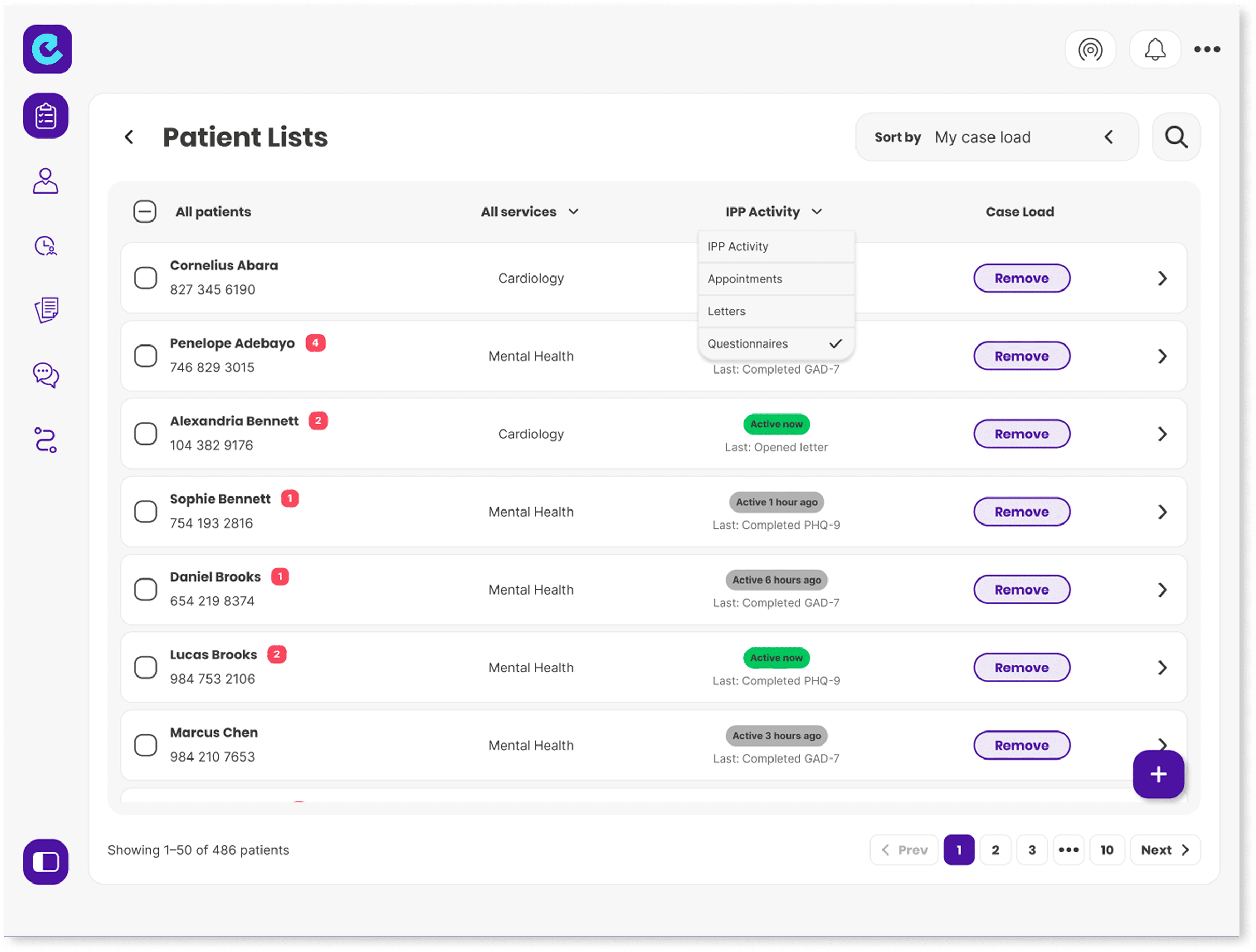
Clinicians can select patients from across their services and build a caseload tailored to the way they work. From their caseload, they can open the IPP Activity column and select Appointments, Letters, or Questionnaires to see activity across all their patients in one view.
Appointments
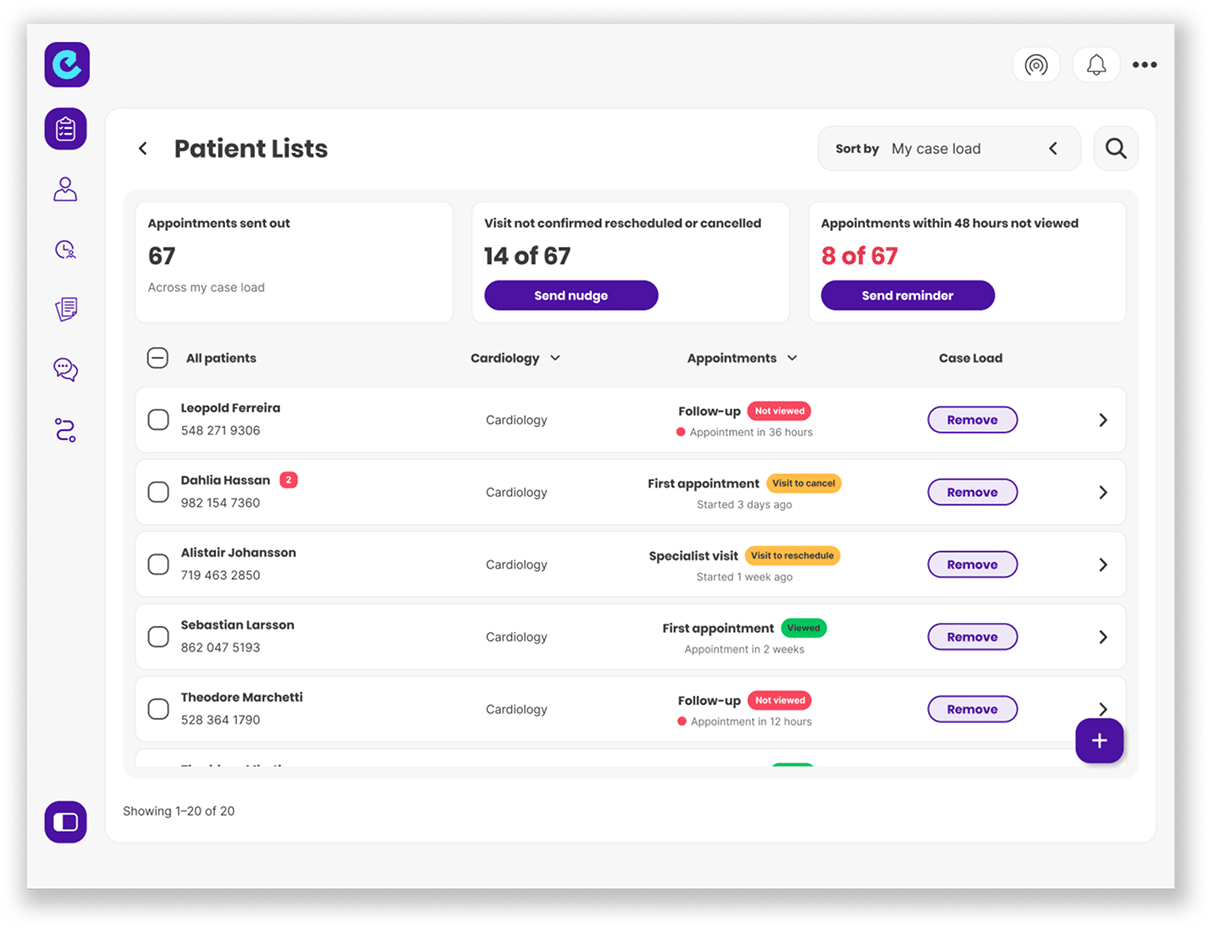
EBO’s Clinician View helps clinicians prepare for appointments by showing patient engagement and outstanding actions across their caseload. The appointments view highlights where follow-up may be needed before a patient attends.
Letters
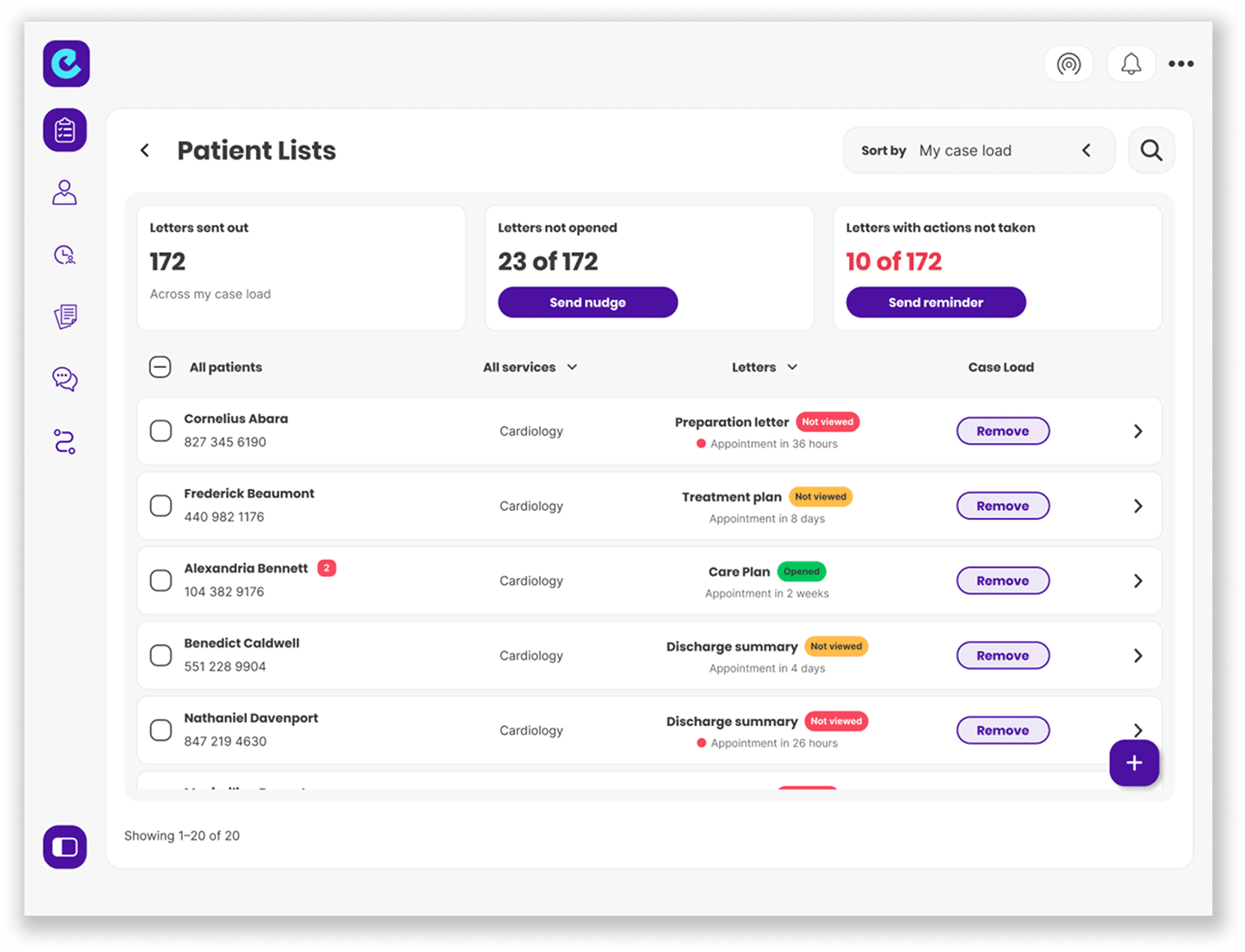
The ‘Letters’ view shows which letters patients have opened, which remain unopened and where associated actions are still outstanding. Colour coding helps clinicians quickly identify unopened letters alongside the patient’s next appointment. For example, they can check whether a preparation letter has been opened and send a reminder where appropriate. While the EPR holds the letter itself, Clinician View shows how patients have engaged with correspondence in the Intelligent Patient Portal across the caseload.
Questionnaires
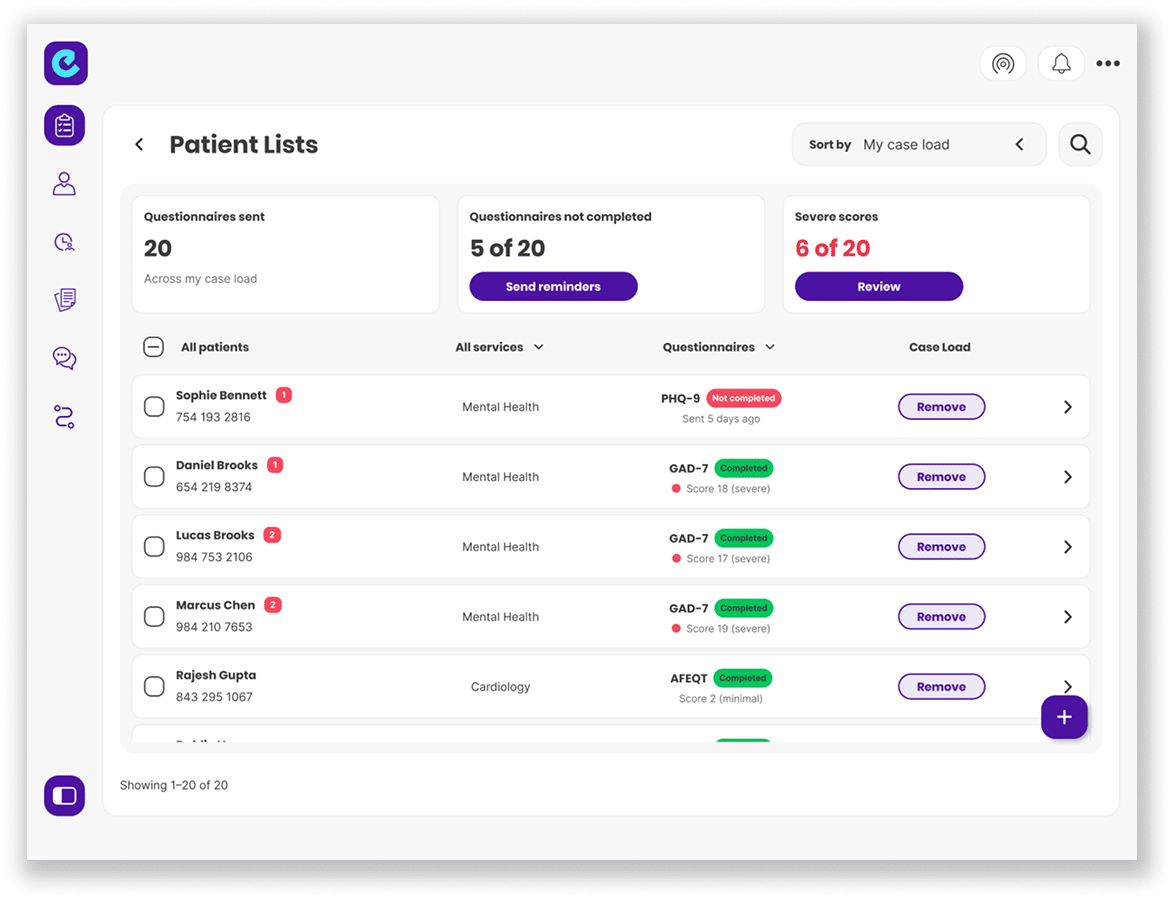
Clinicians can view questionnaire completion status, scores and the time each questionnaire was sent across their entire caseload. Summary cards at the top of the dashboard highlight completed, incomplete and outstanding questionnaires, helping clinicians check whether patients have provided the information needed before an appointment. Scores in the severe range are also visible, helping identify patients who may require closer attention.
Patient Activity
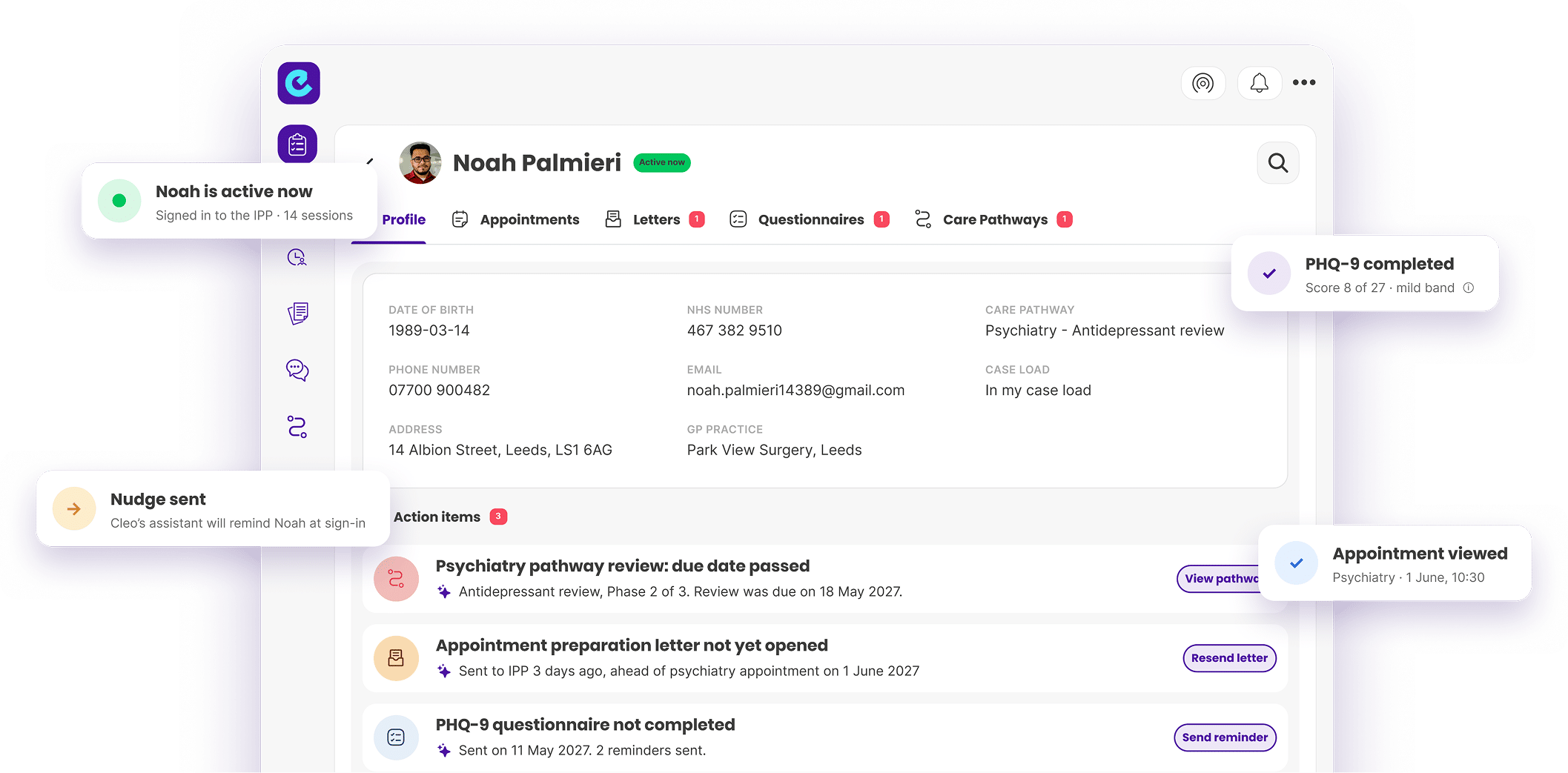
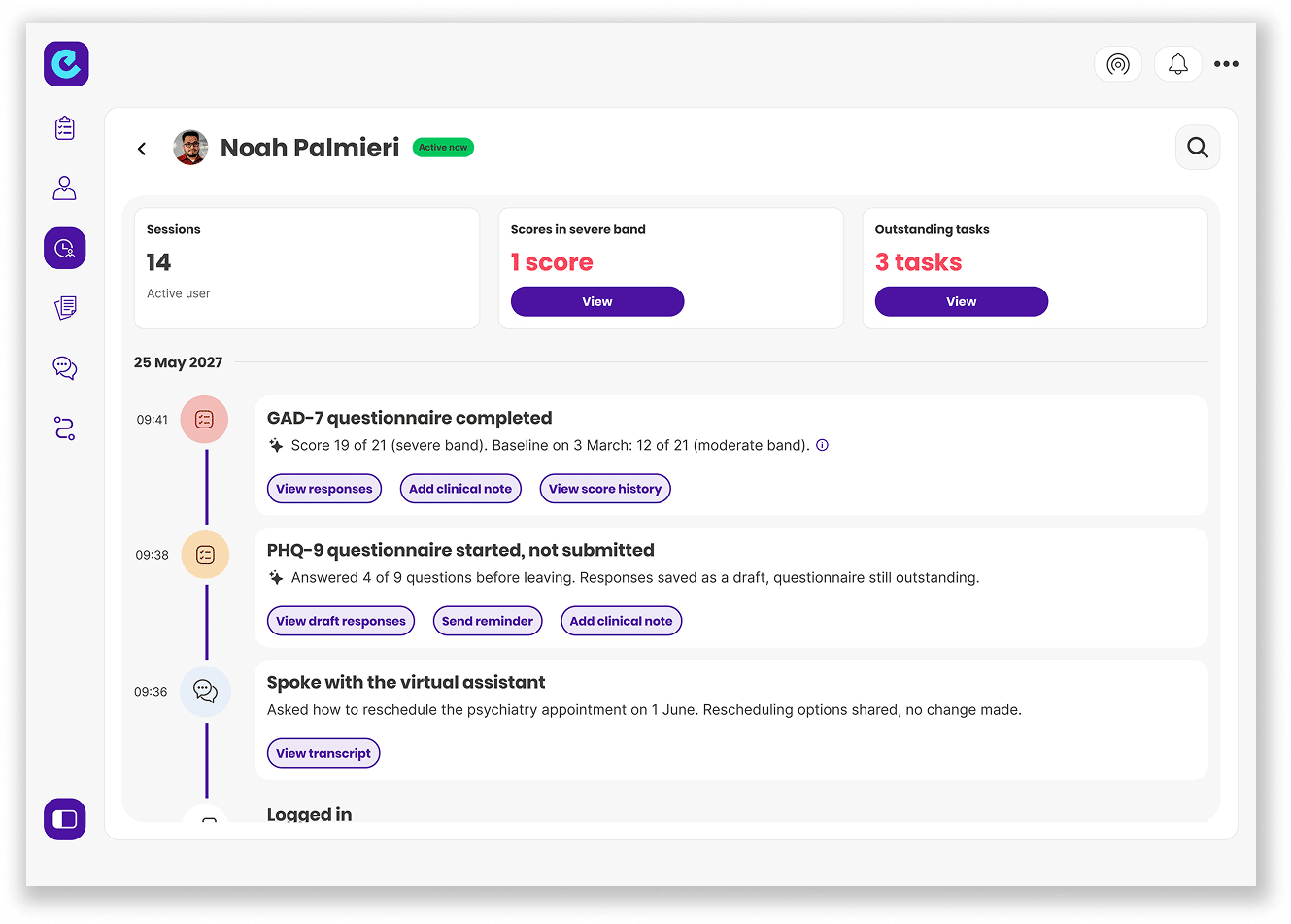
Clinicians can view a detailed timeline of each patient’s activity within the Intelligent Patient Portal, showing how they engage with their care between appointments. From a single view, clinicians can see completed and unfinished questionnaires, appointment activity, opened letters, conversation and login histories, and any flagged events or actions that may require attention. This helps clinicians understand what a patient has completed and spot signs that they may be encountering difficulties or disengaging from their care.
Want to take a closer look?
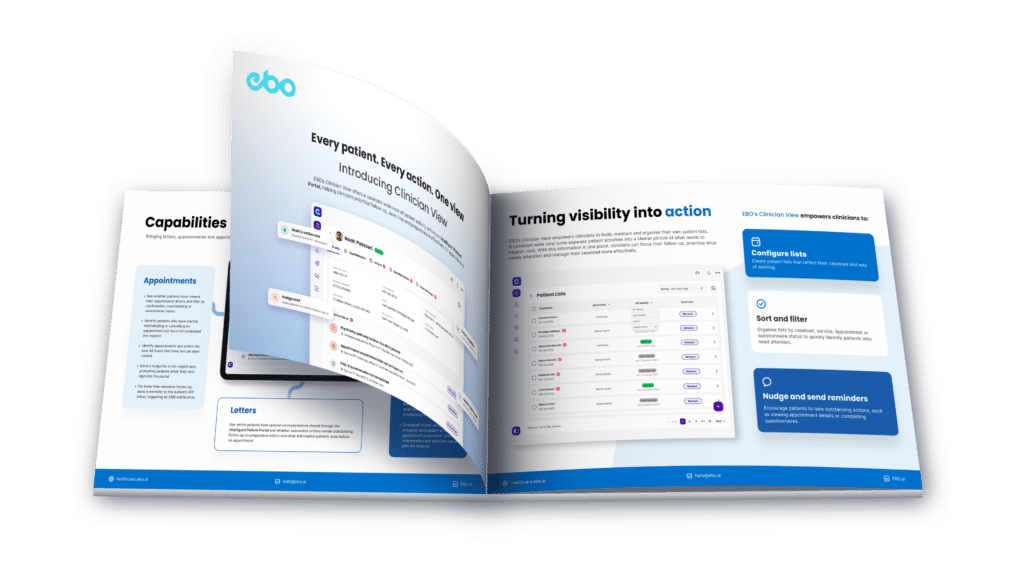
To learn more about how EBO’s Clinician View works in practice and how it can support your clinical workflows, access the full guide. Inside, you’ll find out how to:
Save time: Spend less time checking individual records to understand patient activity.
Focus your follow-up: Identify outstanding actions and prioritise what needs attention before appointments.
Be better prepared: Gain greater visibility of patient engagement to support more informed appointments.
Make better use of clinical capacity: Prioritise your caseload more effectively and focus your time where it matters most.
Here are a few words from our clients on their experience with our solution.
[EBO] more than rose to the challenge. It felt like a true development partnership with staff from both EBO and BCU forming a cohesive team.
Danielle Edwards
Head of Digital Transformation
Betsi Cadwaladr University Health Board
Our booking officers absolutely love our Virtual Assistant Alex, since it does the legwork and they can focus on the patient. Over the last six months, Alex has helped save 24 hours of staff time every week. Our callers come from diverse cultural and linguistic backgrounds, so we worked with our communication to make sure Alex understands all our patients and the different ways they communicate.
Kim Hale
Digital Change Lead
Somerset NHS Foundation Trust
The experience of working with EBO on our Virtual Assistant has been very positive. EBO and Servelec listened to our feedback and helped design AI solutions that benefit our patients by providing an alternative way they interact with the trust.
James Mariott
Digital Change Manager
Somerset NHS Foundation Trust
I think where we really found the stress is on the admin. A lot of our service users are calling us, which means that our lines are continuously busy and admins miss some of the calls, as they are on the phone with another service user at the time. It means that people are trying to get in contact till the late evening when the services are closed. It really opened up our eyes to see that there are other ways our clients can communicate with us and there are other ways that we can communicate with the clients. It actually works for them.
Shona Richards
Digital Transformation Project Manager
East London NHS Foundation Trust
EBO is a trusted partner of Microsoft, because a lot of what we see with thousands of customers that we work around the world is very much aligned with EBO’s mission and vision. They empower caregivers; they empower administrative staff, and they empower patients to have better access to information. 84% of Healthcare Executives believe that AI will revolutionise the way we obtain information.
Ruthy Kaidar
Director, Healthcare Industry Sector
Microsoft
It is indeed a pleasure to work hand-in-hand with EBO in developing our AI profile and competence. Apart from providing excellent technical expertise, EBO has consistently supported, trained, and maintained a close relationship with all of our team whilst overseeing the development, deployment, and successful marketing of our AI platform. Such support is unique and provides us with the confidence and motivation to further develop this exciting Artificial Intelligence revolution together with EBO, and be able to provide a holistic and efficient experience to our clients.
Jean Claude Muscat
CEO
Saint James Hospital
“Working with EBO is like ‘a breath of fresh air’. They have a deep-seated ‘can-do’ ethos to delivering successful solutions and our collaboration functions as a true partnership. The EBO Virtual Assistant is a new technology for us with great potential as it integrates directly with our Electronic Patient Record. We initiated a pilot with EBO on e-Consent and are already lined up for rolling out pre-assessment and appointment modules.¨